Starting Echoview
You can start Echoview from the Windows Start menu or by double-clicking the desktop shortcut. An instance of the Echoview window is opened for each EV file that is opened. The Welcome to Echoview window can show information about Echoview products and the new features in the version of Echoview being used, as well a list of recently used EV files and the latest news posts from the Echoview website.
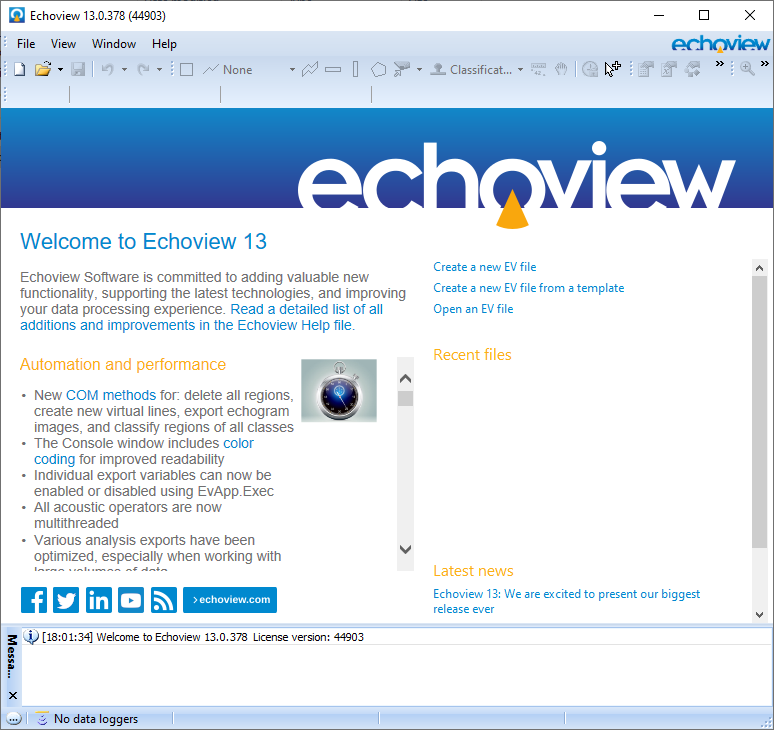
Notes:
- The Welcome to Echoview window is displayed using Internet Explorer.
- Select the setting Open AutoOpen.ev at program startup under the Startup section of on the General page of the Echoview configuration dialog box to display an echogram, a cruise track, a scene and a filesets window when Echoview starts.
- Multi-threaded data file reading runs in the background and calculations that draw on all the data in a fileset (like analysis exports) become available once all data has been read.
- See also Add data files while creating an EV file.
See also
Using Echoview
Navigating Echoview
About Undo and Redo
Data processing workflow
About EV files
About Filesets
About data files
About viewing data