About WMS maps
Web Map Service (WMS) maps are georeferenced map images retrieved over the Internet. They can be displayed as background layers in cruisetrack windows to provide spatial context for echogram data.
WMS maps deliver map images on-demand, often allowing you to select specific data layers (e.g., coastlines, rivers, ocean features). However, as these images are generated per request, WMS maps may load slowly, especially over limited network conections.
Note: For information on tile-based mapping, see About WMTS maps.
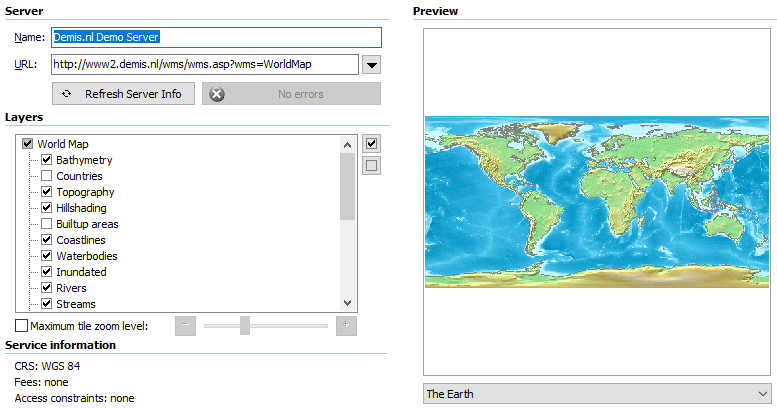
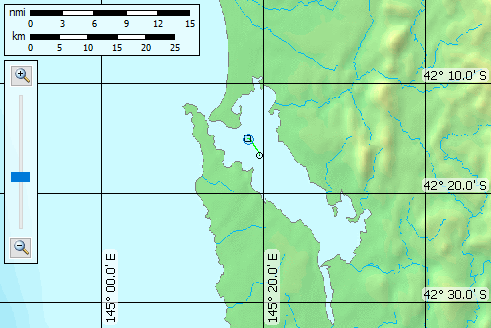
Example screenshots showing the WMS map selection interface (top) and a cruisetrack display with a WMS map overlay (bottom) of an AutoOpen.EV cruisetrack in Macquarie Harbour, Tasmania.
 |
 |
Echoview provides a (small) list of WMS servers on the WMS Map Properties dialog box. Be aware that WMS servers may become unavailable or slow to respond over time. Some WMS map services may require registration or fees.
Echoview support for WMS maps:
Notes:
- A WMS map with an unusual map projection may not be rendered correctly by Echoview. For example, Echoview incorrectly renders Geoscience Australia WMS map GDA94 / Geoscience Australia Lambert (this is a conical projection).
- Use the Echoview Configuration setting Disable Echoview downloads to prevent Echoview from downloading data when the internet is unavailable.